Practical Sales Training™ > Selling Communication Basics > Readable Text
Readable Text
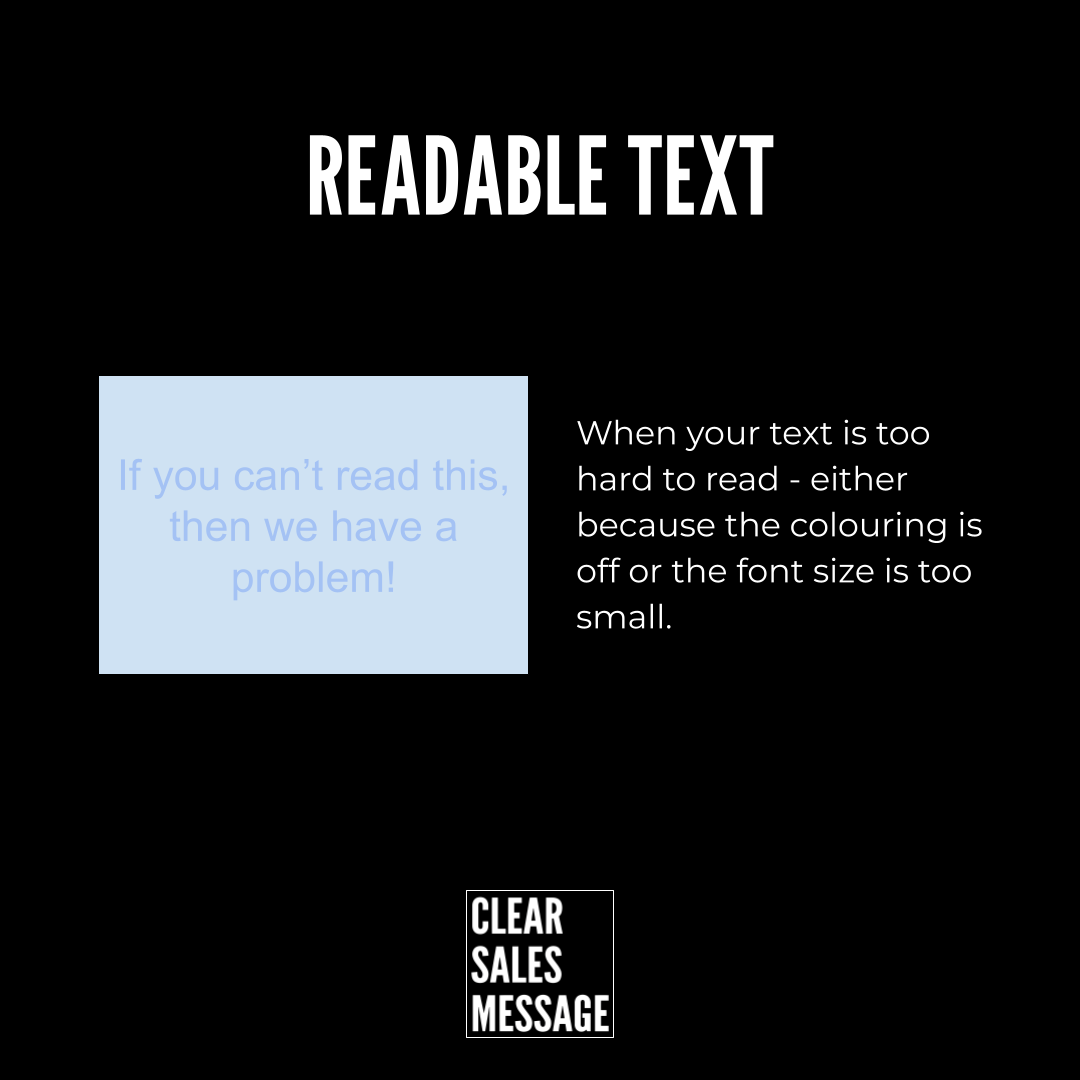
Most people focus on what they say. But how it looks matters just as much. If your text is too small, too pale, or too cluttered, people switch off before they even start reading.
Readable text is text that your audience can see, take in, and understand without effort. It sounds basic. But poor readability is one of the most common mistakes in sales and marketing materials.
So before you write a single word of copy, ask yourself: can anyone actually read this?
What Is Readable Text?
Readable text is any written content that is easy to see and easy to follow. That means the right font size, enough contrast, and enough space around the words. It applies to everything: proposals, slides, emails, posters, websites, and print.
The goal is not to look exciting. The goal is to remove friction. Because when reading feels easy, people keep going. When it feels like hard work, they stop.
Tiny fonts, pale grey type on white, or busy decorative typefaces might look creative. But if someone has to squint or zoom in, they will not bother. In sales, that lost moment costs you.
Why Does Readable Text Work?
Your message can only do its job if it gets read. However strong your copy is, it fails if no one takes it in. Readable text removes the barrier between your words and your buyer’s brain.
When text is clear, the reader focuses on the message. When it is hard to read, they focus on the struggle. As a result, the message gets lost, and so does the sale.
There is also a trust angle. Poorly presented materials look careless. But clean, readable text signals that you are clear, considered, and easy to do business with. That matters more than most people realise.
How Can You Use Readable Text In Sales?
Start by checking every material you use: proposals, brochures, email templates, presentations, social posts. For each one, ask whether a stranger could read it easily on a phone at arm’s length.
Check Your Contrast
Dark text on a light background is easiest to read. So avoid pale grey on white, or white on a light image. If the contrast is low, the text disappears.
Increase Your Font Size
For digital, aim for at least 16px. For print, 10pt is your minimum. Smaller than that and people will not read it, even if they could.
Give Your Words Room
Tight margins and cramped lines make text feel heavy. Instead, use clear spacing, generous margins, and enough line height so each line breathes.
Choose Simple Typefaces
Stick to clean, simple fonts. Decorative typefaces can look clever, but they slow readers down. A clear font keeps the focus on the message.
Test It at a Distance
Step back from your screen or print it out. If you have to move closer to read it, so will your buyer. And they probably won’t bother.
When Readable Text Works Best
Readable text matters most when your buyer is short on time or attention. For example, a printed poster, a trade show banner, or a one-page proposal all need to land in seconds. If the text is hard to read, the moment passes.
It also matters on mobile. Most buyers now read emails and proposals on their phone. So small text that looks fine on a desktop can become unreadable on a smaller screen.
When your message needs to travel without you to explain it, readability carries the whole load.
When Readable Text Becomes Dangerous
The danger comes when design takes over. Some materials look striking but sacrifice clarity. When a designer prioritises style over function, the message pays the price.
It also becomes a problem when materials are built on desktop but read on mobile. Text that looks great on a large screen can become tiny and cramped on a phone. So always check both.
However, the biggest risk is assuming your buyer will make the effort. They won’t. If it is hard to read, they will move on. That is the cost of ignoring readability.
Common Readable Text Mistakes
Using Light Text on a Light Background
This is one of the most common problems. Grey on white looks clean in design tools but disappears in the real world. Always test contrast before you publish or print.
Making the Font Too Small
Small text feels refined in design but creates friction for the reader. Because most people will not zoom in, they will simply skip it.
Putting Text Over Busy Images
A great photo can ruin your text. When words sit over a detailed image, they compete for attention and lose. Instead, use a solid block or overlay behind the text.
Cramming Too Much In
More information does not mean more impact. In fact, the more you cram in, the less gets read. Edit hard and give your words space to land.
Readable Text – An Example
This poster is a good example of what not to do. There is too much going on for any of it to land clearly.
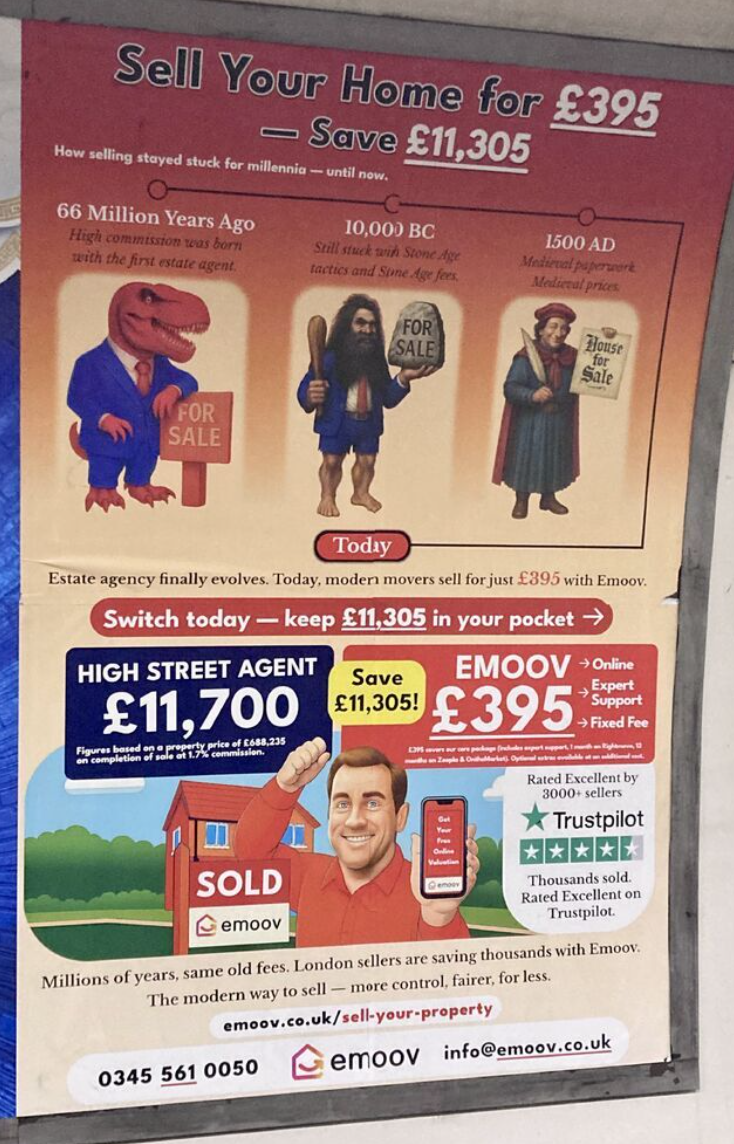
The headline is large, but it sits alongside a timeline, a price comparison, a mascot, a Trustpilot badge, testimonial copy, a website address, and a phone number. Each element competes with the next. So nothing stands out. As a result, the eye does not know where to go and the message does not land.
A readable version would strip it back to one clear message, one call to action, and enough space for each to breathe. Because simplicity is not a design weakness. It is a sales strength.
See Also