Practical Sales Training™ > How to connect with your buyer > The Face Effect

The Face Effect
Most sales communication is faceless. A logo, a name, a block of text. The buyer reads it and moves on. But add a real human face and something shifts. The message feels personal. It feels like someone is actually talking to them.
That’s the Face Effect. It’s the boost you get in trust, replies, and connection simply by showing your face. The research behind it is striking. And the fix is one of the easiest things you can do in sales.
You don’t need a studio shoot. You just need a decent photo and the right places to use it.
What Is the Face Effect?
The Face Effect is the proven impact of adding a human face to your sales communication. When buyers see a face, they feel a stronger connection to the message. It stops being words on a screen. It becomes a person reaching out.
The data backs this up clearly. Adding a personal photo to outreach emails has boosted replies by up to 400% in some studies. Email signatures with photos get 15 to 20% more replies than plain text ones. In some tests, faces on landing pages have doubled conversions.
So the Face Effect isn’t just a nice idea. It’s a measurable difference in how buyers respond to you.
Why Does the Face Effect Work?
Humans are wired to respond to faces. It’s one of the first things our brains process when we look at something. We’re built to read faces for trust, intent, and emotion. So when a face appears in your communication, the brain pays attention in a way it simply doesn’t for text alone.
There are three reasons the Face Effect works so well in sales. First, recognition. Faces are easier to remember than names or logos. A buyer who sees your face is more likely to recall you later. Second, trust. A friendly, confident face lowers the buyer’s guard. It reduces the feeling of risk that comes with any new interaction. Third, connection. People buy from people. A face makes that human element visible, even in a cold email or a web page.
Together, these make your communication harder to ignore and easier to say yes to.
How Can You Use the Face Effect In Sales?
The Face Effect works anywhere you want more trust, more replies, or more conversions. Here’s where to apply it.
Your Email Signature
This is the easiest win. Add a professional photo to your email signature. Every email you send becomes a chance to put a face to your name. Buyers who reply to your follow-ups have often already formed an impression from your signature photo. It works silently in the background of every conversation.
Outreach and Cold Emails
When you’re reaching out cold, a face can make a big difference. Including your photo in the email body or signature signals that a real person sent this. As a result, the buyer is less likely to delete it without reading. It shifts the tone from marketing message to human conversation.
Your Website and Landing Pages
Faces on websites build credibility fast. Place a photo near your key call to action, your testimonials, or your about section. When a visitor sees a real person behind the offer, they feel more confident. That confidence converts into enquiries and sales.
LinkedIn and Social Profiles
Your profile photo is often the first thing a buyer sees before they’ve read a single word. A clear, warm, professional headshot does a lot of work. It signals that you’re credible, approachable, and real. A blurry photo or no photo at all does the opposite.
Sales and Support Teams
The Face Effect works across your whole team, not just you. When buyers receive emails from your sales or support team, a photo in the signature helps build rapport before the call even happens. It also makes follow-up feel warmer because the buyer already has a face in mind.
When the Face Effect Works Best
It works best at the early stages of a relationship, when trust is still being built. A cold email, a first visit to your website, an initial LinkedIn connection. These are the moments when a face can shift the buyer’s gut reaction from “who is this?” to “this seems like someone I could work with.”
It also works well in high-value or considered purchases. When the stakes are higher, buyers need more reassurance. A face gives them something human to anchor their trust to. Similarly, in service businesses where the buyer is essentially buying a person, a face is even more important.
The more remote or digital your sales process, the more impact the Face Effect has. Because there’s no handshake, no office visit, and no in-person meeting. So your photo has to do that job instead.
When the Face Effect Becomes Dangerous
It can work against you when the photo itself sends the wrong signal. A low-quality, poorly lit, or overly casual image can reduce trust rather than build it. Buyers form a snap judgement in seconds. So a bad photo is sometimes worse than no photo at all.
It also falls flat if the face and the message don’t match. For example, a warm, smiley photo paired with a pushy or cold email creates a mismatch the buyer notices. The face promises one thing but the words deliver another. That gap damages trust instead of building it.
Use a photo that is clear, professional, and natural. You don’t need to look corporate. But you do need to look like someone the buyer would feel comfortable talking to.
Common Face Effect Mistakes
Using a Poor Quality Photo
A blurry, dark, or awkwardly cropped photo does real damage to first impressions. It signals that you don’t pay attention to detail. Because buyers judge small things quickly, a weak photo can undermine a strong message. Get a decent headshot. It’s a one-time effort with lasting impact.
Hiding Behind a Logo
Many businesses use a company logo where a face should be. It feels more professional. But it actually creates more distance. Buyers connect with people, not brands. So wherever you can swap a logo for a face, do it.
Only Using It in One Place
Some people add a photo to LinkedIn and stop there. However, the Face Effect compounds when your face appears consistently across your signature, your website, your social profiles, and your outreach. Each touchpoint reinforces the same human impression. Together, they build familiarity fast.
Using an Outdated Photo
If your photo is ten years old and looks nothing like you now, it creates a jarring moment when you meet the buyer in person or on a video call. That moment of “oh, that’s not what I expected” is small but it dents trust. Keep your photo current.
The Face Effect – An Example
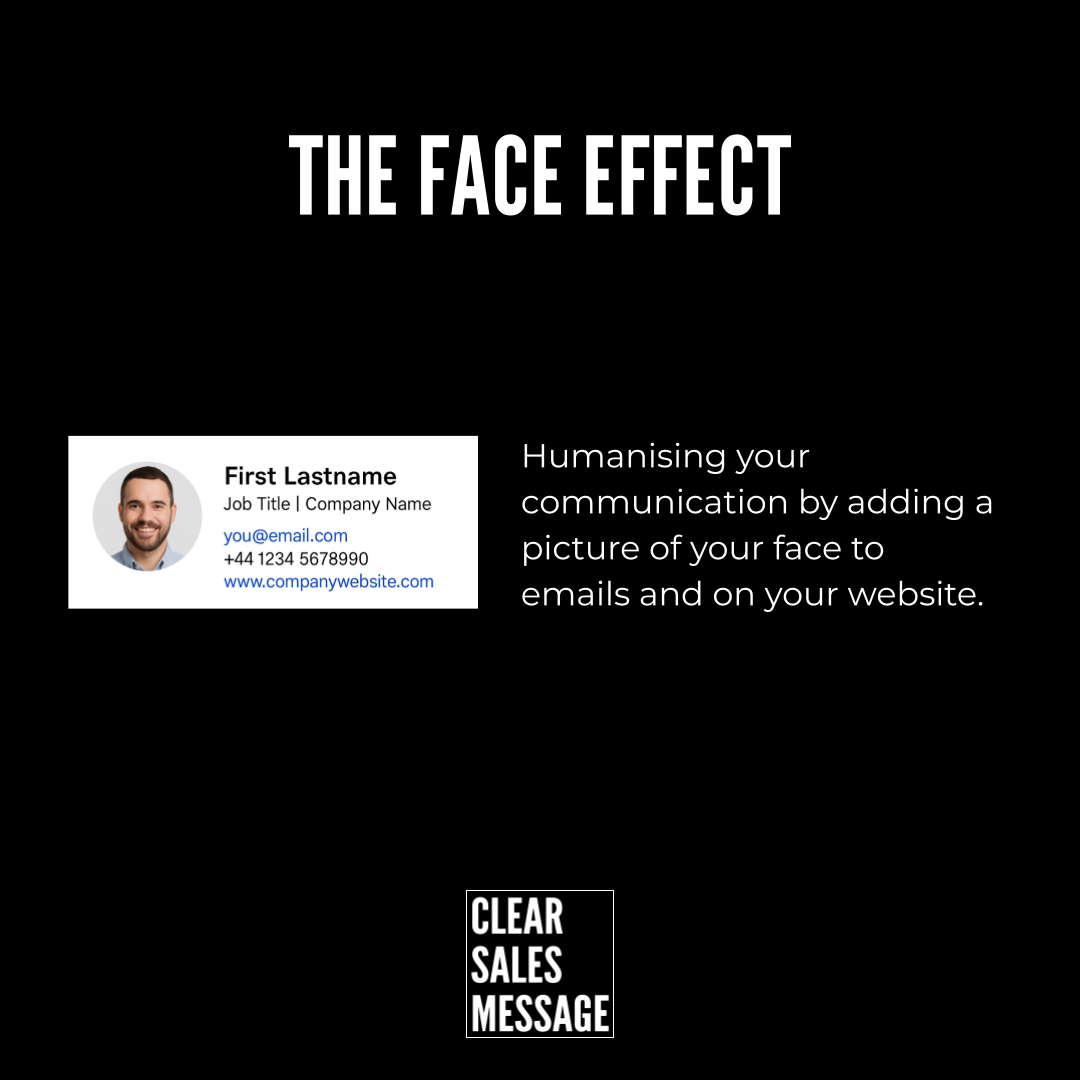
Here’s what the Face Effect looks like in a real email signature. The photo sits alongside the name, job title, and contact details. It’s simple, clean, and professional.

The face makes the signature feel human rather than generic. Because the buyer can see a real person, the email feels less like a mail-out and more like a direct message. That small shift is often the difference between a reply and a delete.
See also