
Practical Sales Training™ > Selling Communication Basics > Dummy Data

Dummy Data
Buyers freeze when they don’t know what to enter. So dummy data fixes that.
It shows them a filled in example before they add their own details. So the blank field or empty report stops feeling like a guessing game.
Why Does It Work
It works because it kills uncertainty. So the buyer never has to guess what goes where.
A blank form feels risky, but a filled in example feels safe.
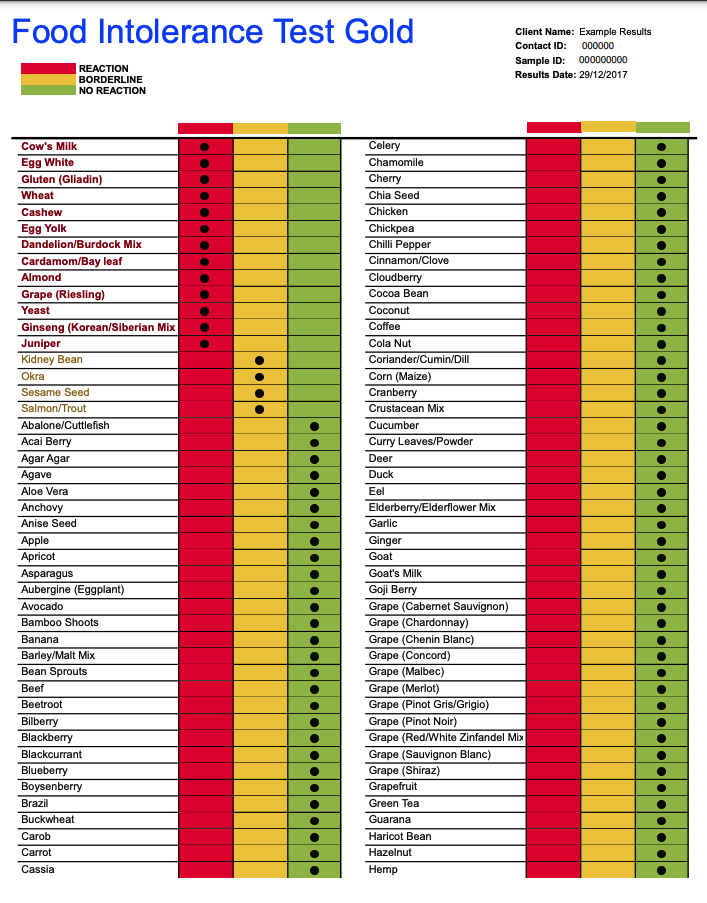
Dummy reports let someone picture their own numbers inside your layout. So the value feels real before they’ve paid.
Dummy data in a form does the same job. So it shows the format you need, not just the label.
That’s why confusion drops. And completion rates go up.
How Can You Use It
Show Sample Reports And Results
Show a sample report or result before someone buys.
Because a real buyer wants to picture their own data inside your product. Not just read about it.
So build one full example, using realistic numbers. So let it speak for itself.
Guide What Buyers Should Enter
Fill your form fields with an example before the buyer types anything.
Because a phone field showing “07123 456789” answers questions before they’re asked.
So you’re not just labelling the field. You’re showing exactly what good input looks like. This alone can quietly cut errors and support tickets.
When It Works Best
This works best wherever a buyer might hesitate or guess wrong.
Calculators, quote builders and long forms all benefit, since the risk of a wrong guess is high.
So use it. Anywhere the format isn’t obvious.
When It Becomes Dangerous
It becomes dangerous when dummy data looks too real.
If a name or number resembles an actual client, someone might assume it’s genuine.
So always make dummy data obviously fake, since confusion here damages trust fast.
A buyer who thinks they’re seeing real client details will not stick around.
Common Mistakes
Leaving It Live After Launch
Leaving dummy data live after launch is the most common mistake I see.
Because a “Test User” or placeholder email left on a public site looks careless.
So always run a final check before anything goes live. Since buyers notice sloppy details fast.
Using Unrealistic Numbers
Using unrealistic numbers is the second mistake.
So if your example figures are wildly optimistic, buyers spot it fast. Trust drops right away.
Keep your dummy data close to what a normal result actually looks like. Believable beats impressive every time.
Dummy Data – An Example
The Loan Calculator
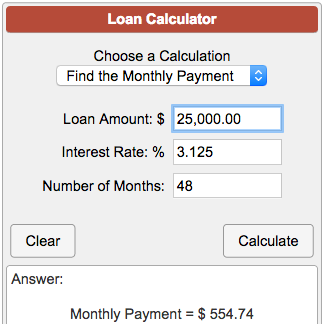
Online calculators often use dummy data to show what to enter. And what the result looks like.
A loan calculator pre-filled with a sample amount shows the shape of the answer early.
So the buyer gets it in seconds. No trial and error needed.
See Also
25+ Selling communication basics