Practical Sales Training™ > How To Connect With Your Buyer > BIMI
BIMI
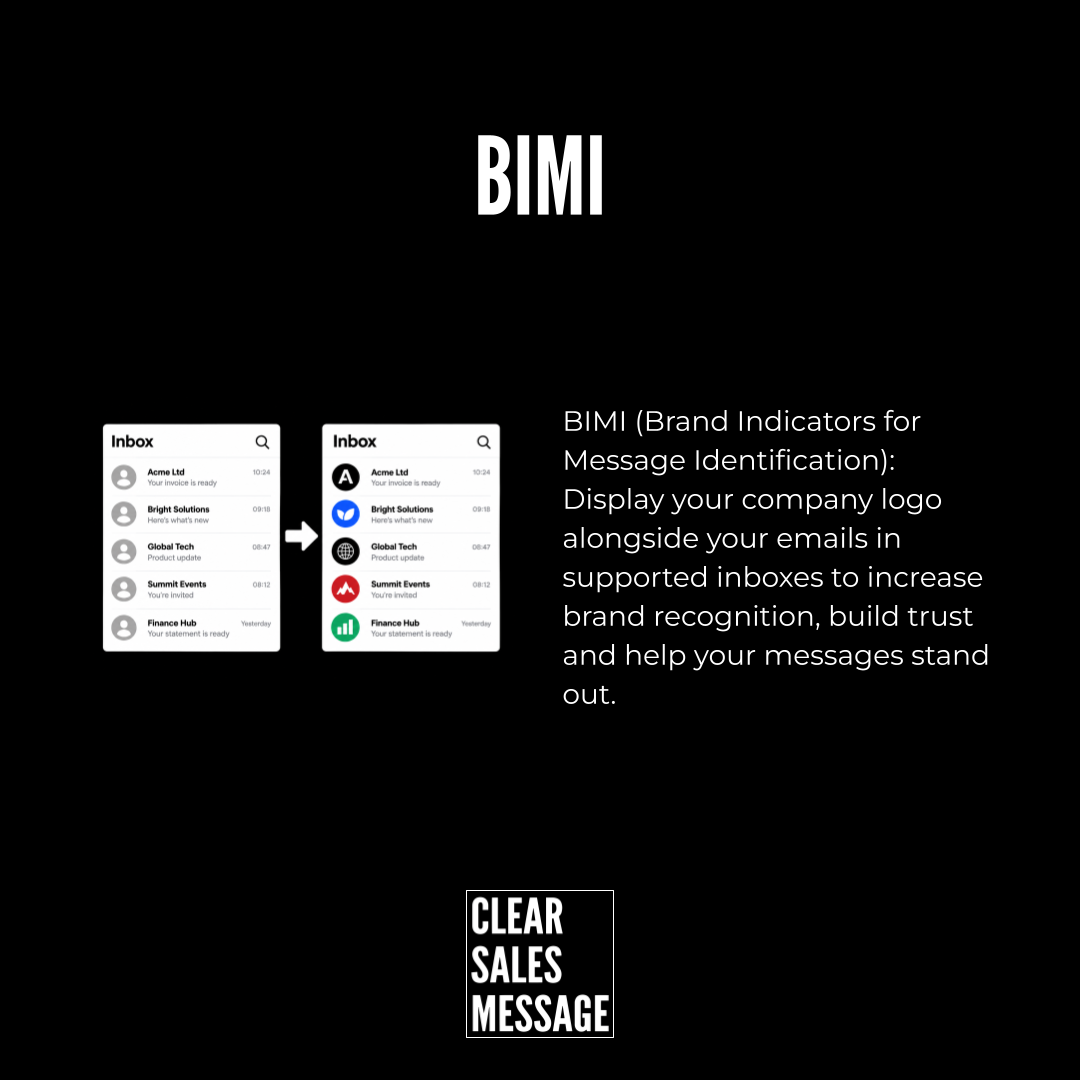
Open your inbox and look down the list. Most senders are a grey circle with a letter in it. They all blur into one. But a few have a proper logo, and your eye goes straight to them.
That logo comes from BIMI. And for a buyer deciding which email to open, and which one to trust, it makes a real difference.
What Is BIMI?
BIMI stands for Brand Indicators for Message Identification. That’s a mouthful, so think of it this way. It’s a standard that lets your logo show up beside your emails in the inbox.
It works in inboxes that support it, like Gmail, Yahoo and Apple Mail. Outlook doesn’t show BIMI logos yet. So some of your buyers will see it and some won’t.
You can’t just upload a logo and switch it on, though. First, your email security has to be set up properly. Then a checker confirms your logo and links it to your domain. That’s what makes it hard to fake.
Why Does BIMI Work?
People spot pictures faster than words. So a logo in a list of grey circles stands out right away. Your buyer sees who it’s from before they read a thing.
It also builds trust. Scam emails are everywhere, and most people are wary of them. A checked logo tells your buyer this really is you. In fact, Gmail can add a blue tick for some senders, which works like a seal of approval.
And it makes you look established. Big banks and brands use it. So when your small firm shows up with a logo too, you look like you belong in that group.
How Can You Use BIMI in Sales?
BIMI is a techy setup job. But the payoff is a sales one, so here’s how I’d approach it.
Fix Your Email Security First
BIMI needs a setting called DMARC. It must be set to block or quarantine fakes. Many firms have it switched off, or set to watch only. So ask your IT person or email provider to check. As a bonus, this also helps your emails land in the inbox, rather than spam.
Pick the Right Certificate
To get your logo showing in Gmail, you’ll usually need a mark certificate. There are two kinds. A Verified Mark Certificate needs a registered trademark. In return, it can earn the blue tick. The other option is a Common Mark Certificate. That one doesn’t need a trademark, but it shows your logo without the tick. Both cost a yearly fee.
Use a Logo That Works Tiny
Your logo will show as a small circle. So a wide logo with lots of words turns into a smudge. Use a simple icon or a bold letter instead. Then test how it looks on a phone screen.
Match Your Sender Name to Your Logo
If the logo says one brand and the sender name says another, buyers feel confused. So keep the two in line. That way the logo and the name back each other up.
Tell Buyers What to Look For
Here’s the less obvious move. Mention it. For example, “Our emails always show our logo and a blue tick.” Now your buyer knows how to spot you. And they’ll trust your emails more than anyone pretending to be you.
When BIMI Works Best
It works best when trust matters most. Think banks, lawyers, accountants and anyone handling money or private data. Those buyers are always on the lookout for scams.
It also helps when you send lots of emails to the same people. Invoices, updates and newsletters all benefit. As a result, your logo becomes a familiar face in their inbox.
Finally, it shines in cold outreach. A new buyer has no reason to trust you yet. So a checked logo gives them one small reason before they even open it.
When BIMI Becomes Dangerous
The biggest risk is getting the security settings wrong. If you tighten DMARC before every system is set up, some real emails may stop arriving. Your invoices or quotes could vanish. So test carefully, and move one step at a time.
It can also create false comfort. Buyers may trust anything with a logo. But the logo only proves who sent it. It says nothing about whether the content is right. So keep your emails as clear and careful as ever.
Finally, don’t expect it to fix a weak message. A logo gets you noticed. Yet buyers still ignore a dull subject line.
Common BIMI Mistakes
Most of these come from treating BIMI as a quick switch. So here’s what to watch for.
Skipping the Setup Steps
Some firms buy a certificate before their email security is ready. Then nothing shows up, and they think it’s broken. Instead, get DMARC right first. The logo comes last.
Using a Busy Logo
Your full logo with a strapline looks great on a sign. However, in a tiny circle, it’s a blur. So make a simple version just for the inbox.
Forgetting Other Sending Tools
Your CRM, invoice app and newsletter tool may all send from your domain. If one isn’t set up right, its emails can fail the checks. So list every tool that sends for you, and check each one.
Letting the Certificate Lapse
Certificates renew each year. If yours runs out, the logo quietly vanishes. Your buyers may notice before you do. So set a reminder well ahead of the date.
BIMI – An Example
A Verified Email From Halifax
Banks have a big problem with fake emails. So they need buyers to know, at a glance, which messages are real.
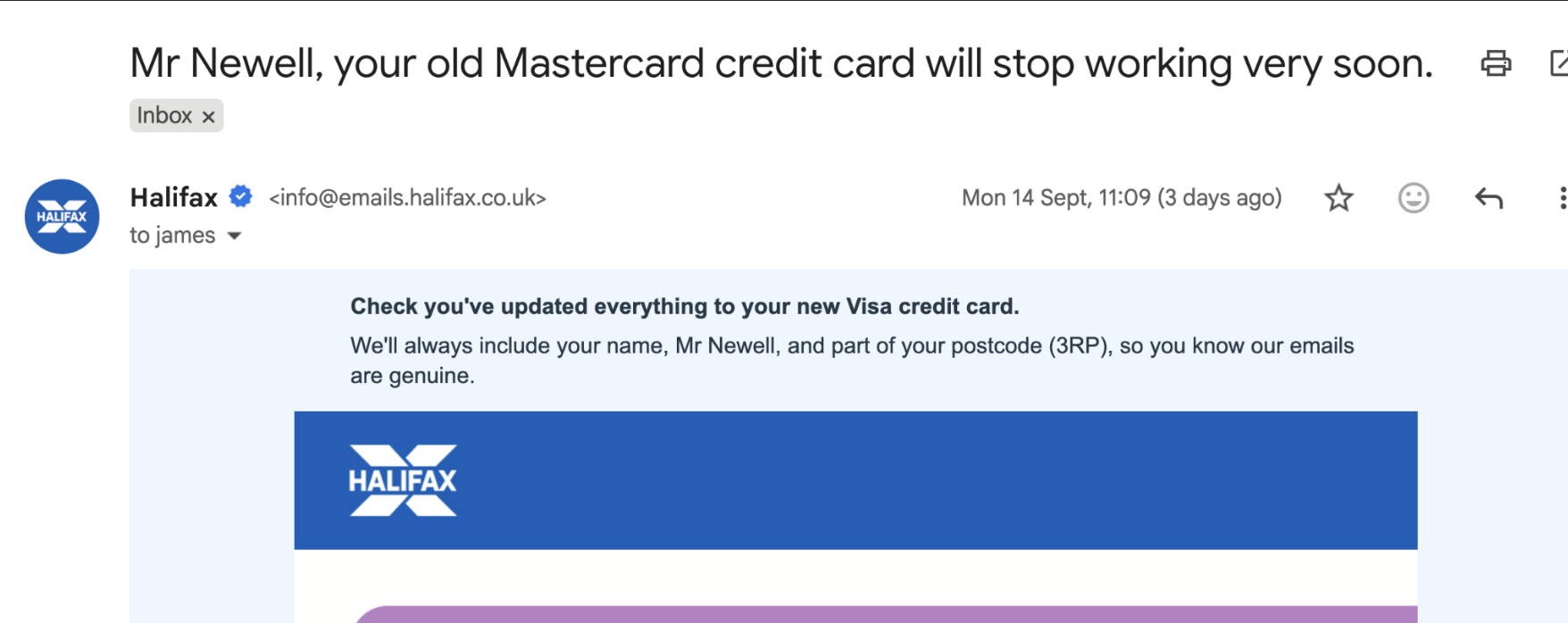
Halifax uses BIMI to help. Their emails land in Gmail with the Halifax logo and a blue tick. Before the customer reads a word, they can see it’s really from their bank.
Look at what else they do. The email also greets the customer by name and shows part of their postcode. That’s a second layer of proof. So the logo gets the email noticed, and the personal details confirm it’s safe to act on.
See Also