Practical Sales Training™ > How To Convert > The Message Screenshot Effect
The Message Screenshot Effect
Buyers are tired of polished marketing. They’ve seen the perfect testimonial, the stock photo smile, the carefully worded five-star review. And they’ve learned to discount it. Because it all looks the same. And anything that looks the same stops being seen.
But a screenshot of a real message is different. It’s raw. It’s unedited. It looks like something you weren’t supposed to see. And that feeling – the feeling of catching something real – is exactly what makes it so powerful.
So when you share a screenshot of a genuine conversation, a DM, or a chat message from a happy client, it lands differently. Because it doesn’t look like marketing. It looks like proof.
What Is The Message Screenshot Effect?
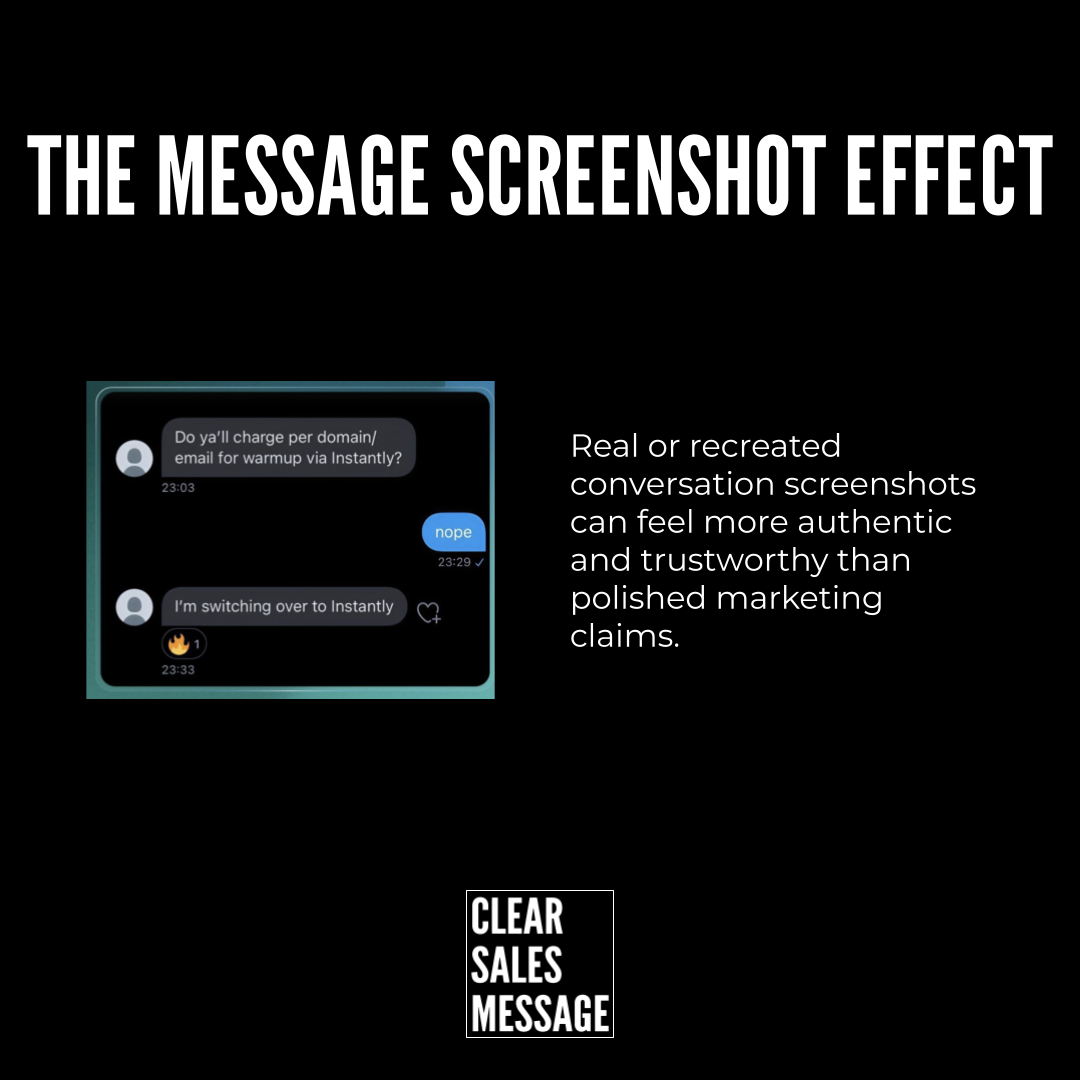
The Message Screenshot Effect is when real or recreated conversation screenshots feel more authentic and trustworthy than polished marketing claims. As a result, they tend to convert better – because the buyer’s natural scepticism drops.
A screenshot shows the actual words someone used in an unguarded moment. No PR polish. No formal sign-off. Just a person saying what they really think, in the way they’d say it to a friend. That informality is the signal. It tells the reader that this is genuine.
However, the effect also works with recreated screenshots – ones that show a fictional but realistic exchange. For example, a business might mock up a conversation to show how a process works or what a result looks like. Because the format feels familiar, it still carries that sense of reality even when the content is illustrative.
Why Does The Message Screenshot Effect Work?
Because our brains read screenshots differently from written copy. A block of text on a sales page feels like a sales page. But a screenshot of a WhatsApp message or a DM feels like something personal. It triggers a different kind of attention. And that attention is less guarded.
There’s also a social proof element at work. When someone sees a real message from a real person saying “I’m switching to this” or “this just saved me hours,” they think: someone like me already made this decision. That reduces the risk of going first. So the buyer feels less alone in their choice.
In fact, the rougher the screenshot, the better it often works. A message with a typo, an emoji, or a casual turn of phrase feels more real than a perfectly written review. Therefore, the imperfection is part of the proof – not a flaw to fix.
Similarly, timestamps and read receipts add to the effect. They make the message feel live. They turn a static image into something that feels like it just happened.
How Can You Use The Message Screenshot Effect In Sales?
The key is to use screenshots in the right places at the right moments. They work best when the buyer is close to a decision but still needs a final push of confidence.
Share real client messages as social proof
When a client sends you a great message, ask if you can share it. Most people say yes. Because it’s already in a message format, it doesn’t need rewriting. Post it as-is. The raw format does the work. And because it looks like a real conversation, buyers trust it more than a polished quote ever could.
Use them on landing pages and sales pages
A well-placed screenshot on a sales page breaks the pattern of polished copy. It gives the eye somewhere to land that feels different. So instead of a wall of text and a formal testimonial, a screenshot mid-page says: here’s what a real person actually said. That contrast builds trust fast.
Use recreated screenshots to show process or results
If you want to show how something works, a mock-up conversation can make it feel real rather than theoretical. For example, a message thread showing a buyer asking a question and getting an instant, helpful reply says more about your service than a paragraph of description ever would. However, always be clear when a screenshot is illustrative rather than real.
Include them in follow-up emails
A follow-up email that includes a screenshot of a client message gives the prospect something visual to focus on. It also adds proof at the exact moment they’re weighing up a decision. Because a screenshot in an email feels personal rather than broadcast, it carries more weight than a logo or a star rating.
When The Message Screenshot Effect Works Best
It works best when the message is specific. “This is great” is weak. “We closed three deals in the first week using this” is strong. So look for messages that name a result, a time frame, or a specific change. Because the more concrete the message, the more it moves a buyer.
It also works well in markets where buyers are sceptical. If your industry has a reputation for overselling or underdelivering, a raw message from a real client cuts through in a way that formal copy simply can’t. Therefore, the higher the scepticism in your market, the more value a screenshot delivers.
Similarly, it performs well on social media. A screenshot shared as a post or story gets more engagement than polished graphics. It feels like insider content – something real, not something made for an ad.
When The Message Screenshot Effect Becomes Dangerous
The biggest risk is using fake screenshots. A made-up message presented as real destroys trust the moment anyone spots it – and people do spot them. The whole power of a screenshot comes from its authenticity. So using a fake one doesn’t just fail to convert. It actively damages your credibility.
It can also go wrong when the screenshot is too hard to read. Small text, poor contrast, or a badly cropped image frustrates the reader. As a result, they skip it entirely. So if you’re using a screenshot, make sure it’s clear enough to read at a glance.
However, even real screenshots need context. A message taken wildly out of context can mislead. And buyers who feel misled don’t buy – they warn others. So use screenshots that are honest, relevant, and fair to the person who sent them.
Common Message Screenshot Effect Mistakes
Using vague messages
A screenshot saying “loved working with you!” feels nice but proves nothing. Instead, look for messages that include a specific result, a before-and-after, or a clear recommendation. Because specificity is what turns a kind word into real evidence.
Sharing without permission
Always get permission before sharing a client’s message publicly. Most people are happy to say yes. But sharing without asking risks damaging a relationship and, in some cases, creating a legal problem. So ask first. It takes ten seconds and protects everyone.
Only using them once
A great client message has a long shelf life. Use it on your website, in proposals, in follow-up emails, and on social media. Because a piece of proof that only appears in one place is doing a fraction of the work it could be doing.
Not collecting them as you go
Most businesses have great client messages sitting unread in their inbox. So build the habit of saving good ones as they arrive. Therefore, when you need proof at a key point in a sale, you have a library to pull from rather than starting from scratch.
The Message Screenshot Effect – An Example
A consultant runs a small coaching programme. Their sales page has a strong offer, a clear outcome, and a few written testimonials. But conversions are lower than expected. Buyers seem interested but hesitant.
So the consultant adds three screenshots to the page. One is a WhatsApp message from a client saying “just landed our biggest contract since we started working together.” Another is a DM from a past participant saying “I’ve recommended this to four people already – it actually works.” The third shows a short back-and-forth where a client asks a question and then says “right, I’m in.”
As a result, the page converts better. Not because the offer changed – but because hesitant buyers now have something real to hold onto. The messages feel like something they stumbled across, not something they were shown. And that feeling is exactly what the Message Screenshot Effect creates. It turns your best clients into your most honest salespeople.
See also: