Practical Sales Training™ > How To Connect With Your Buyer > NFC

NFC
What Is It
NFC stands for near field communication. It’s the same tech that lets you tap your bank card to pay for coffee. Put an NFC chip inside a business card, a poster, or a product, and a phone can read it with a single tap.
No app to open. No code to scan. No link to type out. You tap, and the phone jumps straight to whatever you’ve pointed it at, whether that’s your website, your contact details, or a booking page.
Why Does It Work
Every extra step between someone wanting to act and actually acting loses you people. Typing a website address is a step. Opening a camera app for a QR code is a step. NFC removes both.
It also feels a bit magic. A tap that instantly pulls up your details sticks in someone’s memory longer than a business card that gets pocketed and forgotten. That small moment of surprise does some of the selling for you.
How Can You Use It
Put It Where You Meet People
A business card is the obvious one, but NFC works anywhere you’re stood in front of someone. Events, conferences, even a jacket pin. Anywhere a normal card would usually get pocketed and lost.
Point It At One Clear Action
Don’t send the tap to a generic homepage. Send it straight to the one thing you want that person to do next, like booking a call or saving your contact card directly to their phone.
Update The Link Without Reprinting Anything
Most NFC platforms let you change where the tap leads after the card’s already printed. So the physical card never goes out of date, even if your website or offer changes six months later.
When It Works Best
NFC works best face to face. Networking events, sales meetings, trade shows. Anywhere you’d normally hand someone a business card, an NFC tap replaces the fumble of typing in a name or number later.
When It Becomes Dangerous
Not every phone reads NFC the same way, and older devices sometimes need a small settings change first. If the tap doesn’t work first time, you look less impressive, not more.
It also fails if there’s no backup. Always print a QR code or short link on the same card, so the moment still works even if someone’s phone doesn’t cooperate.
Common Mistakes
No Backup Option
Relying purely on the tap is risky. Some phones need settings turned on first. Always give people a second way in, like a QR code, so one failed tap doesn’t lose the whole interaction.
Sending The Tap Somewhere Vague
A tap that lands on a busy homepage wastes the moment. Send it straight to the one action you actually want, whether that’s saving your number or booking time in your calendar.
Never Testing It Yourself
Tap your own card before you hand it to anyone else. A dead chip or a broken link kills the whole effect, and you won’t know until someone’s stood in front of you watching it fail.
NFC – An Example
My Own NFC Business Card
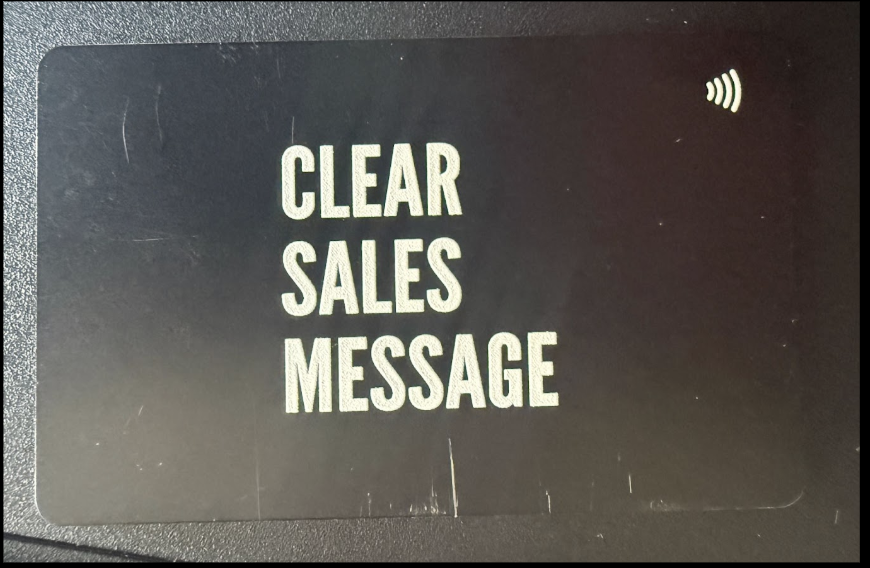
I use an NFC business card whenever I meet people face to face. Instead of handing over a normal card that gets buried in a pocket, someone just taps their phone against it. The little tap symbol printed in the corner tells them where to hold their phone.
That one tap saves my contact details straight onto their phone or takes them to my LinkedIn, all without them typing a single letter. It’s a small moment, but it’s the kind people remember when the meeting’s long forgotten.
See Also