
Practical Sales Training™ > How To Get Attention > Data Visualisation

Data Visualisation
Numbers on their own are easy to ignore. A buyer skimming your proposal or website will glide straight past a sentence full of statistics. But show those same numbers as a chart, a comparison, or a striking graphic, and something different happens.
They stop. They look. And the point lands.
Data Visualisation is the practice of turning your key facts and figures into something visual. It is one of the most direct ways to seize attention and make your message impossible to miss.
What Is Data Visualisation?
Data Visualisation means taking important numbers and presenting them in a visual format rather than just writing them out. That could mean a graph, an infographic, a side-by-side comparison, or a creative illustration of what a figure actually means in real terms.
The goal is to make your data easier to absorb and harder to overlook. A well-chosen visual communicates a point in seconds that a paragraph of copy might take a minute to convey, and even then might not stick.
It connects closely to semiotics, the idea that visual communication carries meaning just as powerfully as words. So when you combine a strong number with a strong visual, you give your buyer two ways to register the same message at once.
Why Does Data Visualisation Work?
It works because of how people actually read. Most buyers scan pages and documents in an F shape, moving quickly across the top and then drifting down the left side. They are not reading every word. They are hunting for the thing that tells them what this is about and whether it matters to them.
A visual stops that scan. The eye jumps to images before it reads text, so a well-placed data visual can pull a buyer in at the exact moment they would otherwise move on.
Beyond attention, visuals also aid memory. A striking comparison or an unexpected equivalent figure sticks in the mind far longer than a number buried in a sentence. As a result, your point travels further, even after the buyer has put your document down.
How Can You Use Data Visualisation In Sales?
Start by identifying the facts and figures that matter most to your buyer. Not the ones that impress you, but the ones that answer a question your buyer is already asking. Then consider the best way to show them visually. There are several formats worth knowing.
A simple infographic or graph
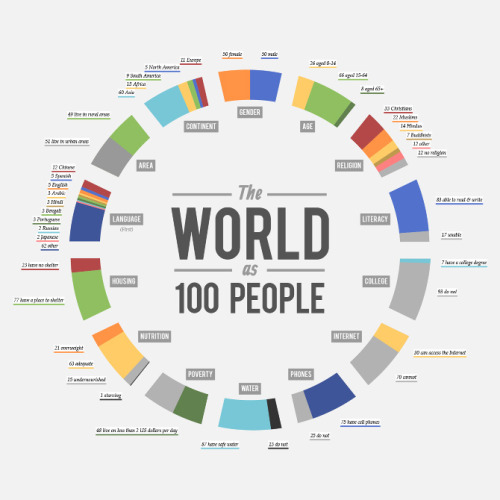
Charts and infographics work well for showing trends, volumes, or results over time. They are familiar formats that buyers process quickly. Keep them clean and make the key number the most prominent thing on the visual.
A side-by-side comparison
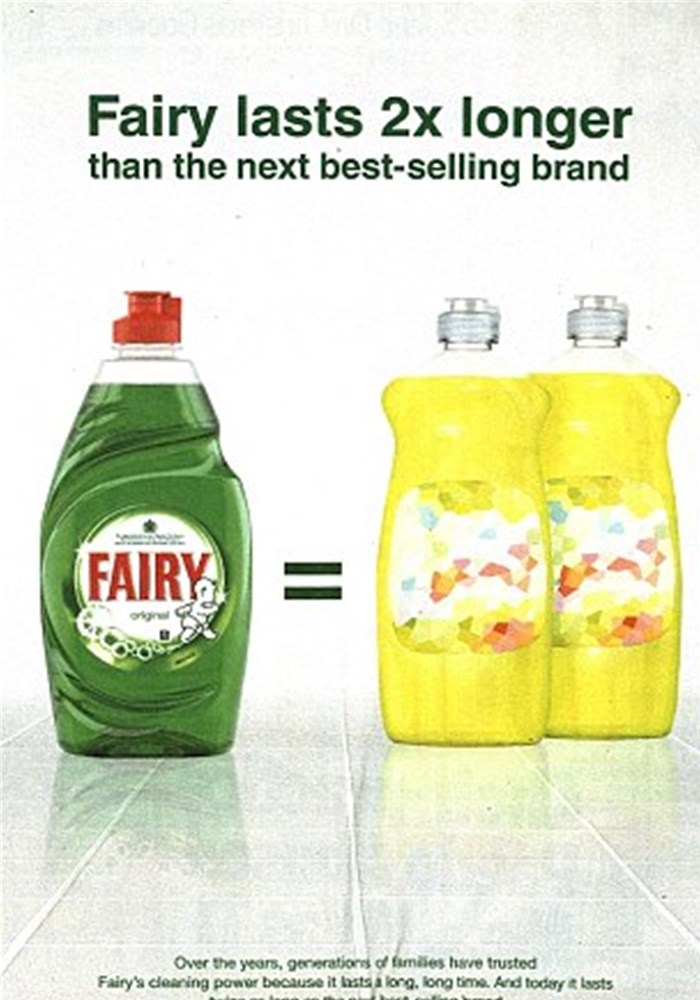
Showing how your offering compares to the competition gives buyers an instant frame of reference. Rather than asking them to hold two options in their head, you lay it out for them. The contrast does the selling.
An equivalent comparison
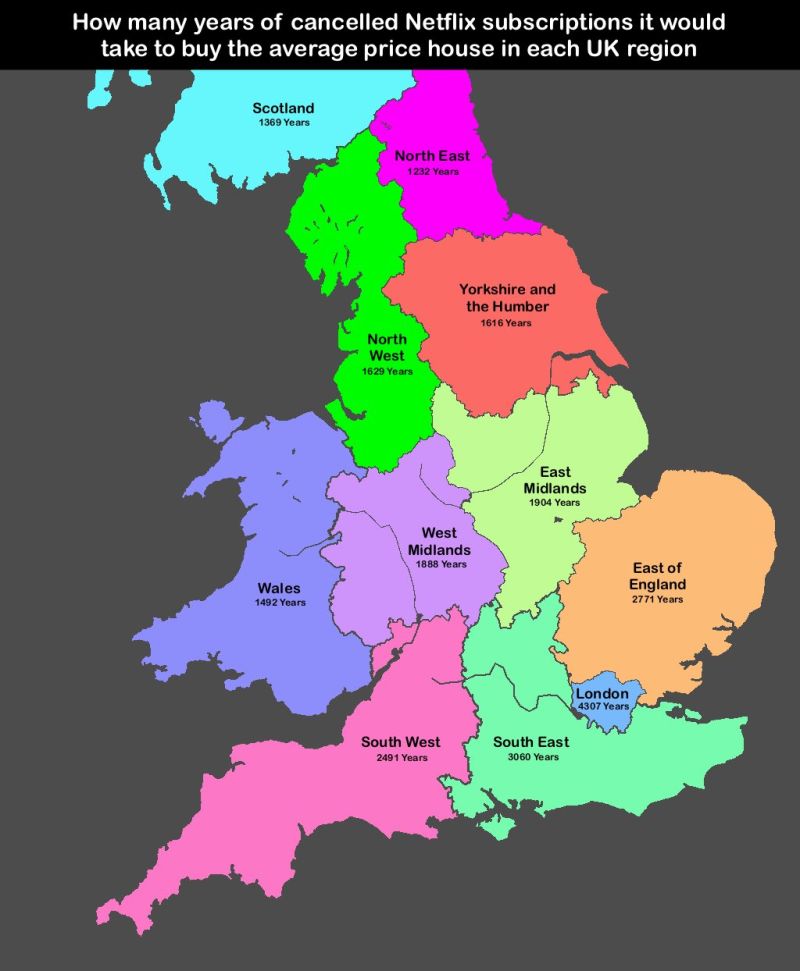
Sometimes a number only lands when you translate it into something the buyer already understands. How many years of Netflix cancellations equal a house deposit? How many cups of coffee equal the cost of your service per day? Equivalents make abstract figures feel real and tangible.
A breakdown visual
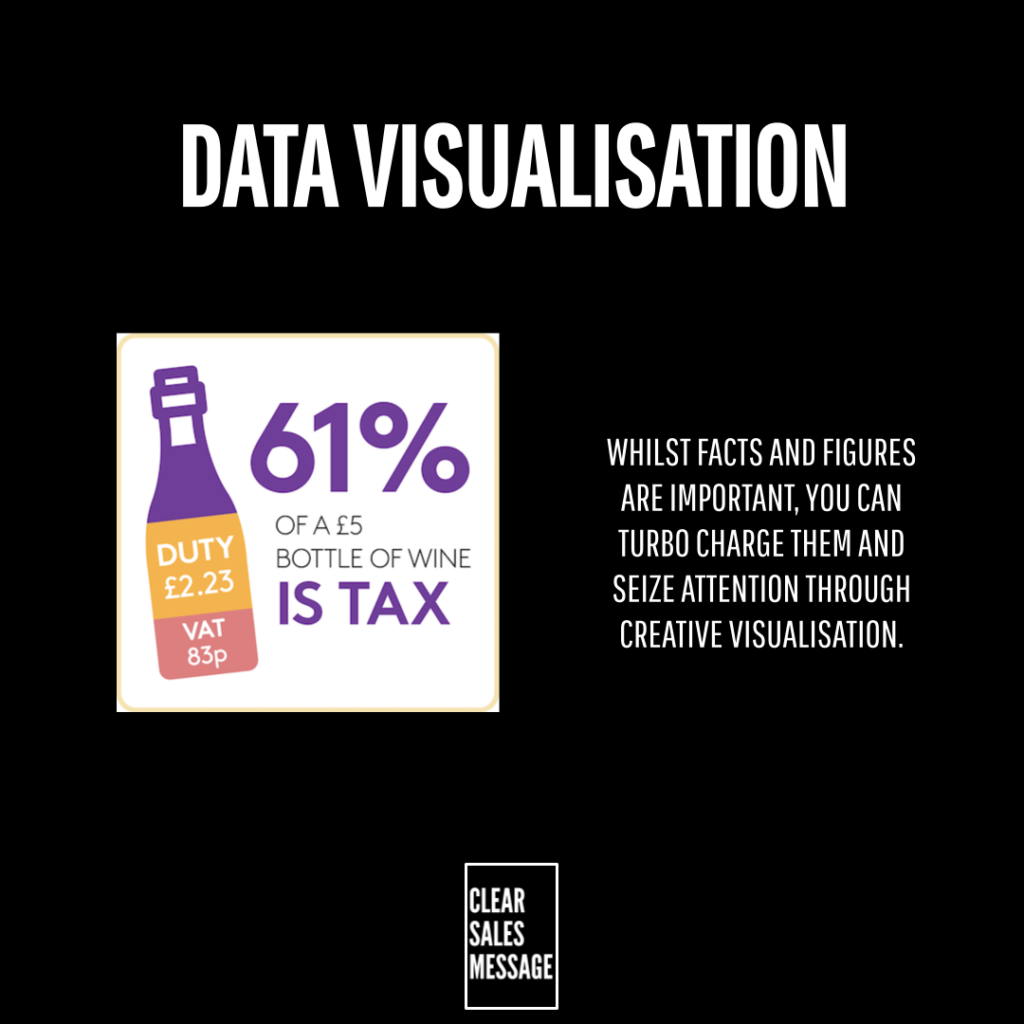
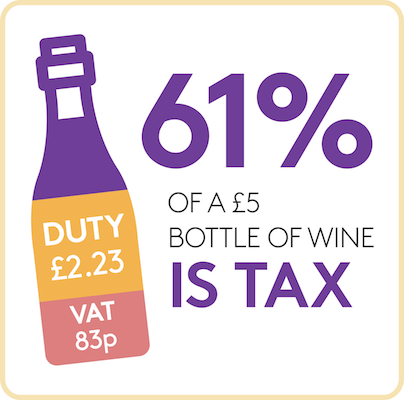
Show what something is made of by representing it as a whole object split into parts. A bottle of wine divided by cost, a pie chart of where time goes, a bar broken into components. This format works well when you want a buyer to understand proportion or value at a glance.
Probability and frequency visuals
Showing how often something occurs, or how likely it is, can be far more powerful than stating a percentage. The prostate cancer advert below does this well. Instead of saying “1 in 8 men,” it shows 8 figures with one highlighted. That visual hits harder than any stat written in a sentence.

When Data Visualisation Works Best
Data Visualisation works best when the number itself is genuinely compelling. If the stat is strong, a visual amplifies it. But a weak number presented beautifully is still a weak number. So choose your figures carefully before you decide how to show them.
It also works best when the format matches the message. An equivalent comparison suits an emotional or surprising point. A side-by-side suits a competitive one. Picking the wrong format can dilute the impact even when the data is solid. Think about what reaction you want the buyer to have, then choose the format that produces it.
When Data Visualisation Becomes Dangerous
Visuals can mislead if the design distorts the data. A graph with a manipulated axis, or a comparison that leaves out key context, may grab attention but damages trust when a buyer looks more closely. Clarity should always come before cleverness.
There is also a risk of overloading. Too many visuals on one page compete with each other and cancel out the attention each one deserves. Use Data Visualisation selectively. One striking image lands far harder than five average ones.
Common Data Visualisation Mistakes
Visualising the wrong numbers
Not every figure deserves a visual. Focus on the ones your buyer cares about, not the ones that make your business look good internally. The test is simple: would this number change how a buyer feels about buying from you?
Making it too complex
A visual that needs explaining has failed. If a buyer has to study it to understand it, the attention-grabbing benefit disappears. Keep it simple enough to land in under three seconds.
Using low quality graphics
A blurry or poorly designed visual reflects on your brand. Buyers judge quality from every detail. So if the graphic looks rough, the product starts to feel rough too. Invest a little time in making it look considered.
Leaving it out of key touchpoints
Data Visualisation works in proposals, on websites, in email campaigns, and in presentations. But many sellers only use it in one place. Think about every point in your sales process where a buyer needs to be convinced, and consider whether a visual could do the job faster than words.
Data Visualisation – An Example
A B2B software company wants to show that their tool saves time. They could write: “Our customers save an average of four hours per week.” But instead, they build a simple visual showing a five-day working week with four hours blocked out and labelled “time saved with us.” Below it sits a second version showing what that time adds up to over a year: 200 hours, or five full working weeks.
The buyer sees that in two seconds. No reading required. The point lands immediately, and because it translates the saving into something tangible, it sticks. That is Data Visualisation working exactly as it should.
See Also
- Diagram Effect
- Facts and Figures Effect
- 100+ ways to seize buyer attention
- 100+ ways to be more memorable