
Practical Sales Training™ > How To Convert > The Save For Later Effect

The Save For Later Effect
Most buying processes get interrupted. A meeting starts. A colleague needs a decision. Something else takes priority. The buyer steps away from the checkout or the quote or the configuration they were halfway through.
If they have to start again when they return, many will not bother. Restarting feels like unnecessary effort. So the sale is lost, not because of price or a rival, but because the process became inconvenient to continue.
The Save For Later Effect fixes that. By allowing buyers to pause without losing progress, you keep the door open. The decision stays live. And when the buyer is ready to return, the path back is clear and easy.
What Is The Save For Later Effect?
The Save For Later Effect is when you allow a buyer to pause their buying process and return to it later without having to start again. Their cart, their configuration, their quote, or their application is held exactly as they left it. Continuing is as easy as starting was.
The effect matters most in longer or more complex buying journeys. When a buyer has invested time in selecting products, filling in details, or building a quote, that investment has value. Losing it creates friction. Preserving it removes a barrier that might otherwise end the sale entirely.
This is a conversion problem that many businesses do not even know they have. Because the buyer never returns, the lost sale looks like a disinterested prospect rather than a process failure. The Save For Later Effect turns that invisible loss into a visible, solvable problem.
Why Does The Save For Later Effect Work?
It works because people do not like repeating work they have already done. Once a buyer has put time and effort into a buying process, that effort has value to them. Losing it feels like a waste. Preserving it, however, keeps the momentum alive even when the purchase is delayed.
This connects to the Endowment Effect. Research shows that people value things more once they have invested effort into them. A buyer who has spent twenty minutes configuring a product feels more attached to that configuration than one who has just arrived. Because that attachment raises the perceived cost of walking away, making it easy to return dramatically increases the chance of conversion.
There is also a timing factor. Many buyers are not able to complete a purchase in one sitting, especially in B2B contexts where decisions involve other people. A buyer who needs sign-off from a manager, or who needs to check a specification, is not necessarily disinterested. They just need time. The Save For Later Effect respects that time without penalising the buyer for taking it.
Finally, it signals confidence. A business that says “take your time, we will be here when you are ready” comes across as secure and buyer-friendly. That tone builds trust, which makes the eventual conversion more likely and the relationship it starts on stronger ground.
How Can You Use The Save For Later Effect In Sales?
The goal is simple. Reduce the effort needed to continue. Even small barriers can stop buyers from returning. Here are the most effective ways to build the Save For Later Effect into your process.
Save Carts and Configurations Automatically
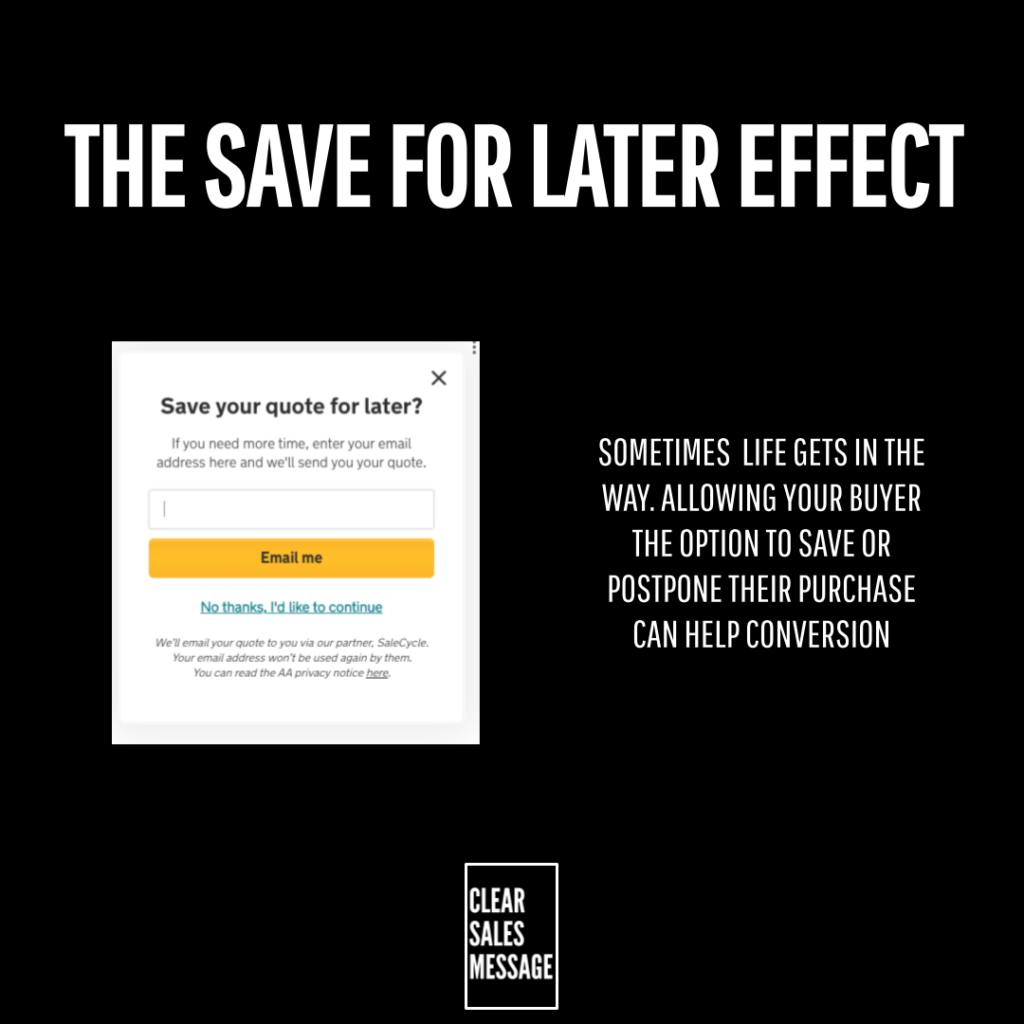
The easiest version of this is automatic cart saving. When a buyer leaves without completing their purchase, their selections are held for them. Because no action is required from the buyer, the barrier to returning is as low as it can be. Tools like SaleCycle specialise in this kind of cart recovery and can significantly reduce abandonment rates.
Let Buyers Email Their Progress to Themselves
Giving buyers the option to email their cart, quote, or configuration to themselves removes the dependency on returning to the same device or browser. Because the link goes directly to their inbox, it also creates a natural reminder. Many buyers who receive that email will act on it when they are ready, even if they had forgotten about the purchase entirely.
Allow Progress Without Forcing Account Creation
Requiring buyers to create an account before they can save their progress adds friction at the worst possible moment. Many buyers will simply abandon rather than register. So allow configurations and carts to be saved without an account, or offer account creation as a benefit rather than a requirement. Because reducing steps reduces drop-off, every unnecessary barrier costs sales.
Use Follow-Up Reminders
A buyer who abandoned a cart or a quote is not necessarily a lost cause. A well-timed follow-up that reminds them of their progress and makes it easy to return can recover a significant proportion of paused purchases. Because the buyer already showed intent, the follow-up is not cold outreach. It is a helpful nudge to someone who was already on their way.
Build It Into Your Sales Cycle
In longer B2B sales processes, the Save For Later Effect is less about technology and more about how you manage the relationship. Sending a buyer a saved version of their quote with a simple link to revisit it, or following up with a summary of where things stand, keeps the decision warm without pressure. Because the buyer feels the process is being held open for them, they are more likely to return to it than to start fresh with a rival.
When The Save For Later Effect Works Best
This effect is most valuable when the buying process involves multiple steps, takes time, or requires input from more than one person. The more complex the journey, the more important it is that buyers can pause and resume without penalty. Long checkout processes, product configuration journeys, quote-based sales, and decisions that need stakeholder approval all benefit significantly from a save and return capability.
It also works well when your buyers are busy professionals making considered purchases. Because these buyers often cannot complete a buying process in one session, removing the restart barrier keeps them in your pipeline rather than losing them to inertia or a rival who makes things easier.
When The Save For Later Effect Matters Less
For very simple or impulsive purchases, the Save For Later Effect is less relevant. Buyers who are making a quick, low-cost decision will usually complete it or not. They are unlikely to pause and return. So one-click purchases, simple digital downloads, and very low-cost items do not need the same investment in save and resume functionality.
Similarly, when urgency is the primary driver, flexibility can work against you. A buyer who is told to act now because something is limited does not need a save option. They need a reason to decide immediately. So match the approach to the nature of the decision your buyer is making.
Common Save For Later Effect Mistakes
Focusing Only on Getting Buyers to Start
Many businesses invest heavily in driving buyers into the purchase process but give little thought to what happens if someone needs to pause. As a result, every interruption becomes a potential lost sale. Making it as easy to continue as it is to start is often the faster route to improved conversion, because the buyers who pause are already warm.
Requiring Account Creation to Save Progress
This is one of the most common conversion killers in e-commerce and online sales. Asking a buyer to register before they can save their cart adds a step that many will simply refuse to take. Because the account creation feels like a commitment they are not ready to make, they leave instead. So offer saving as a frictionless option, not a gated one.
Not Following Up With Buyers Who Paused
Saving the cart is only half the job. Without a follow-up to remind the buyer it is still there, many will simply forget. A timely email that links directly back to where they stopped, and makes continuing feel easy, can recover a large proportion of paused purchases. Because the buyer already showed intent, a reminder is welcomed rather than unwanted.
Letting Saved Progress Expire Too Quickly
A saved cart or quote that expires after 24 hours serves almost no one. Buyers who need time to get approval or check a budget may not be back for days or weeks. So set expiry windows that reflect the realistic length of your buying cycle. Because a cart that has already expired creates more frustration than no save option at all, the window needs to be generous enough to be genuinely useful.
The Save For Later Effect – An Example
An online furniture store allows customers to save their cart and return to it at any time. When a buyer is interrupted halfway through selecting a sofa, their choices are held exactly as they left them. A reminder email arrives a day later:
“Your sofa is still waiting for you. Pick up where you left off and complete your order.”
The buyer clicks the link and is taken directly back to their cart. Because nothing needs to be reselected, the effort of completing the purchase is minimal. The momentum that was lost when they stepped away is restored in seconds. That is the Save For Later Effect doing its job.
Without it, many of those buyers would have returned to a blank cart, shrugged, and bought elsewhere. With it, the sale that looked lost becomes the sale that eventually closes.
See Also